
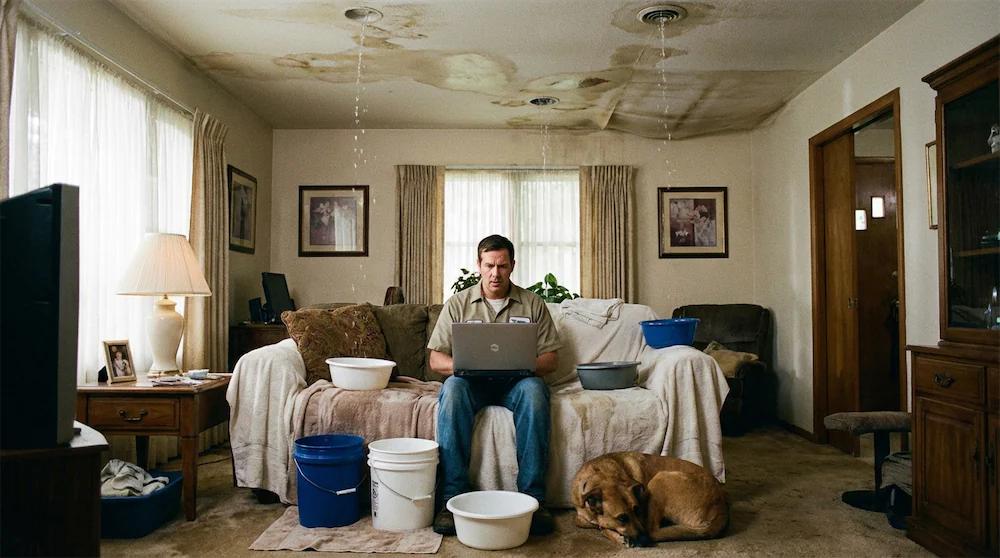
Your B2B website attracts qualified traffic, but your conversions are stagnating. You check Google Analytics every week, compare your rates to industry benchmarks, and still can't work out why almost all of your visitors leave without providing their details.
The problem isn't your offer or positioning. It's invisible micro-frictions sabotaging your conversions at every step of the journey.
This article identifies the five most costly conversion leaks, gives you the diagnostics to detect them on your own site, and explains how to fix them.
Leak #1: Page load time that silently kills conversions
Every additional second of load time destroys a portion of your conversions. The gap between a site that responds in under a second and one that takes ten cannot be closed by any sales argument.
The trap: you're probably testing your site from your office with a fibre connection. Your prospects, however, are viewing your landing page from a laptop on a hotel connection or a throttled corporate network.
Here's how to diagnose this leak now: open Google PageSpeed Insights and test your homepage + your 3 main landing pages. Note the "Time to Interactive" (TTI) on mobile. If this figure exceeds 3.5 seconds, you're losing conversions every day.
Actionable step: identify the 3 pages with the most qualified traffic. Compress all images to WebP format (average saving: 35% weight reduction). Remove non-essential third-party scripts (chat, heatmaps, secondary tracking pixels). Enable a CDN if your host offers it.
Leak #2: The form that asks for too much
You need to qualify your leads, and that's legitimate. But every additional field in your form creates a new psychological barrier.
Beyond five fields, abandonment climbs sharply. In B2B, that is the moment the prospect starts weighing what you are asking for before knowing what they get in return.
Actionable step: list all fields in your main form. Categorise them into three groups: "essential day 1" (email), "useful for qualifying" (company, role), "nice to have" (budget, timeline). Immediately remove all "nice to haves". Test for 2 weeks and compare conversion volume.
Leak #3: No real-time intelligent validation
Your prospect diligently fills in your form. They click Submit. Error message: the email format is invalid. They check, correct, resubmit. New error: the phone number must contain 10 digits. With each round trip, a share of users gives up.
Intelligent validation catches typos in email addresses (jhon.doe instead of john.doe), suggests corrections automatically, and flags problematic fields before submission rather than after.
The most common trap: validation rules that block legitimate formats. A form that rejects every email containing a plus sign shuts out every professional who uses aliases, such as marc+demo@company.com.
Actionable step: test your main form with deliberate errors. Enter "test@gmai.com" (missing the l). Does the system suggest a correction? Enter "0612345678" then "+32612345678". Do both pass? If not, your form is rejecting valid leads.
Leak #4: The monolithic form that scares people off
You display a six-field form all at once. The prospect sees the effort required and clicks back. Same number of fields, different presentation, and abandonment drops.
Multi-step forms with a progress indicator convert better than single-page forms with identical fields. You change nothing about your qualification needs, you simply restructure the display.
The psychology behind this phenomenon: the progressive commitment principle. When a prospect fills in the first screen (name + email), they've already invested 15 seconds. The psychological cost of abandoning increases. By screen 2 (company + role), they've invested 40 seconds. Very few abandon on the final screen.
Drift uses this tactic on their demo page. Screen 1: "What's your name?" (first name + last name). Screen 2: "Where do you work?" (company + professional email). Screen 3: "What's your situation?" (role + team size). Each screen shows only 2 fields maximum.
The hidden bonus of this approach: partial data. Even if someone abandons at step 2, you've captured name and email at step 1. With a classic form, you'd have nothing.
Actionable step: take your current form and split it into 3 screens maximum. Screen 1: basic contact data (2-3 fields). Screen 2: qualification data (2-3 fields). Screen 3: preferences or optional questions. Implement a visual progress indicator at the top. Test for 3 weeks and measure the change in completion rate.
Leak #5: Static content that doesn't engage
Your landing page shows a nice stock image, three bullet points about your product, and a "Request a Demo" button. The prospect reads, mentally evaluates whether it fits their need, hesitates, and leaves to "think about it".
An interactive demo changes the nature of the visit. A calculator, a configurator, a visualisation: the prospect stops reading a promise and starts handling something that answers their own situation.
Interactive content transforms a passive visitor into an active participant. They manipulate, test, discover. Their cognitive engagement level increases, their understanding of your solution deepens, and their conversion probability soars.
Gong, the revenue intelligence platform, understood this perfectly. Their main landing page includes an ROI calculator. You enter your number of sales reps, your average deal size, your current closing rate. The tool instantly calculates the potential gain with Gong.
The prospect is no longer facing a generic pitch ("Gong improves your sales performance"). They see their own potential ROI, calculated with their own figures. The level of conviction is incomparable.
Actionable step: identify the #1 question your prospects ask ("How much will it cost me?", "What return can I expect?", "Is it suited to my situation?"). Create a simple interactive tool that answers it. This could be an ROI calculator (4-5 fields, automatic calculation), a qualification quiz (8-10 questions, personalised result), or a product configurator.
The deadly trap: blind optimisation without diagnosis
I see this mistake regularly. A CMO reads an article about “10 B2B conversion best practices”. They implement everything at once: red button instead of blue, a shorter form, added testimonials. Three weeks later, conversions have moved, a little. Impossible to know which change worked, which was useless, and why.
B2B conversion optimisation isn't a checklist. It's a medical diagnosis. You don't take antibiotics "just in case" without knowing whether you have a bacterial or viral infection.
The methodology that works in 4 phases:
Phase 1 - Diagnosis (Week 1-2): install measurement tools. Google Analytics with configured conversion goals. Hotjar or Microsoft Clarity for heatmaps and session recordings. Google PageSpeed Insights for performance. Collect data for at least 10-15 days.
Phase 2 - Analysis (Week 3): identify real friction points, not assumed ones. Where exactly do users abandon? Which form step generates the most exits? Which pages have the worst speed performance? Prioritise the 3 most costly leaks by volume of lost conversions.
Phase 3 - Targeted fix (Week 4-6): fix ONE leak at a time. Optimise your main landing page speed, measure for 2 weeks. Then move to the form. Never 5 simultaneous changes. One problem, one solution, one measurement.
Phase 4 - Validation (Week 7-8): analyse the real impact of each fix with a statistically significant before/after comparison. If you have 500 visitors/week on your landing page, you need 2-3 weeks of data to validate a 20% improvement.
The mistakes that destroy your optimisation efforts
You can do everything right and still fail if you make one of these three classic mistakes.
Mistake #1 - Testing without sufficient traffic: you implement a change and check your conversions 5 days later. The minimum rule: 100 total conversions over the test period (before + after combined) to validate a result at 95% confidence.
Mistake #2 - Changing multiple elements simultaneously: you modify the form AND speed AND CTA design AND page copy. Conversions increase 30%. But you don't know which change worked. Isolate each variable.
Mistake #3 - Ignoring qualitative data: Analytics tells you WHAT is happening, not WHY. Pair quantitative data with qualitative data (session recordings, heatmaps, exit surveys).
The diagnostics to run this week
You can't improve what you don't measure. Here are the 5 checks to run now to identify your priority leaks.
Diagnostic #1 - Load speed: test your 5 most-visited pages on Google PageSpeed Insights. Note the mobile Time to Interactive. Any page above 3.5 seconds is an active leak.
Diagnostic #2 - Form abandonment: configure form interaction tracking in Google Analytics. You'll see precisely at which field people abandon.
Diagnostic #3 - Form validation: test your form with deliberate errors. Do error messages appear BEFORE submission or after? Do they suggest corrections?
Diagnostic #4 - Content engagement: install Microsoft Clarity (free). Watch 10 session recordings on your main landing page. Do visitors scroll down to your form?
Diagnostic #5 - Cross-device journey: compare your conversion rate desktop vs mobile vs tablet in Analytics. If mobile converts 3 times less while representing 40% of traffic, you have a massive leak.
These five diagnostics take two to three hours in total. They surface most of your leaks, and unlike generic best practices, they point at your actual problems rather than theoretical ones.
A note on figures: the volumes and percentages used in this article are worked examples, meant to show the mechanics. Measure your own rates before deciding anything, since those are the only ones that describe your site.